How to Customise the osTicket Client Portal Without Editing Core Files

The osTicket client portal is where your customers open tickets, check their status and search your knowledge base, so it shapes how they see your support. The default design is functional but plain. This guide covers what you can change from the admin panel, why editing core files is a trap, and how to redesign the osTicket client portal safely.
What you can change without touching any code
Logo and company name
Upload your own logo under Admin Panel → Settings → Company. Our guide on changing the osTicket logo walks through it step by step.
Site pages
Under Admin Panel → Manage → Pages you can edit the text of built-in pages such as the landing page your customers see first and the thank-you page shown after a ticket is submitted. A short, friendly landing page that points people to the knowledge base cuts down on repeat tickets.
Knowledge base
FAQ categories and articles appear in the portal for customers to search. Answering your five most common questions there is one of the most effective changes you can make.
Ticket forms
Custom forms linked to help topics let you ask for the right information up front. See how to organise osTicket help topics.
Why editing core files backfires
It is tempting to open the portal's template and CSS files and change them directly. The problem comes with the next osTicket release: upgrading replaces those files, and your changes disappear. Teams in this position often stop upgrading altogether, which means missing security fixes. Any customisation should live outside the core files.
Redesigning the portal the safe way
A theme replaces the look of the client portal while leaving osTicket's own files untouched. The Amber client portal theme redesigns the support center home, the knowledge base, the customer's ticket list and the ticket view, with five colour patterns and a custom CSS field for your own tweaks.
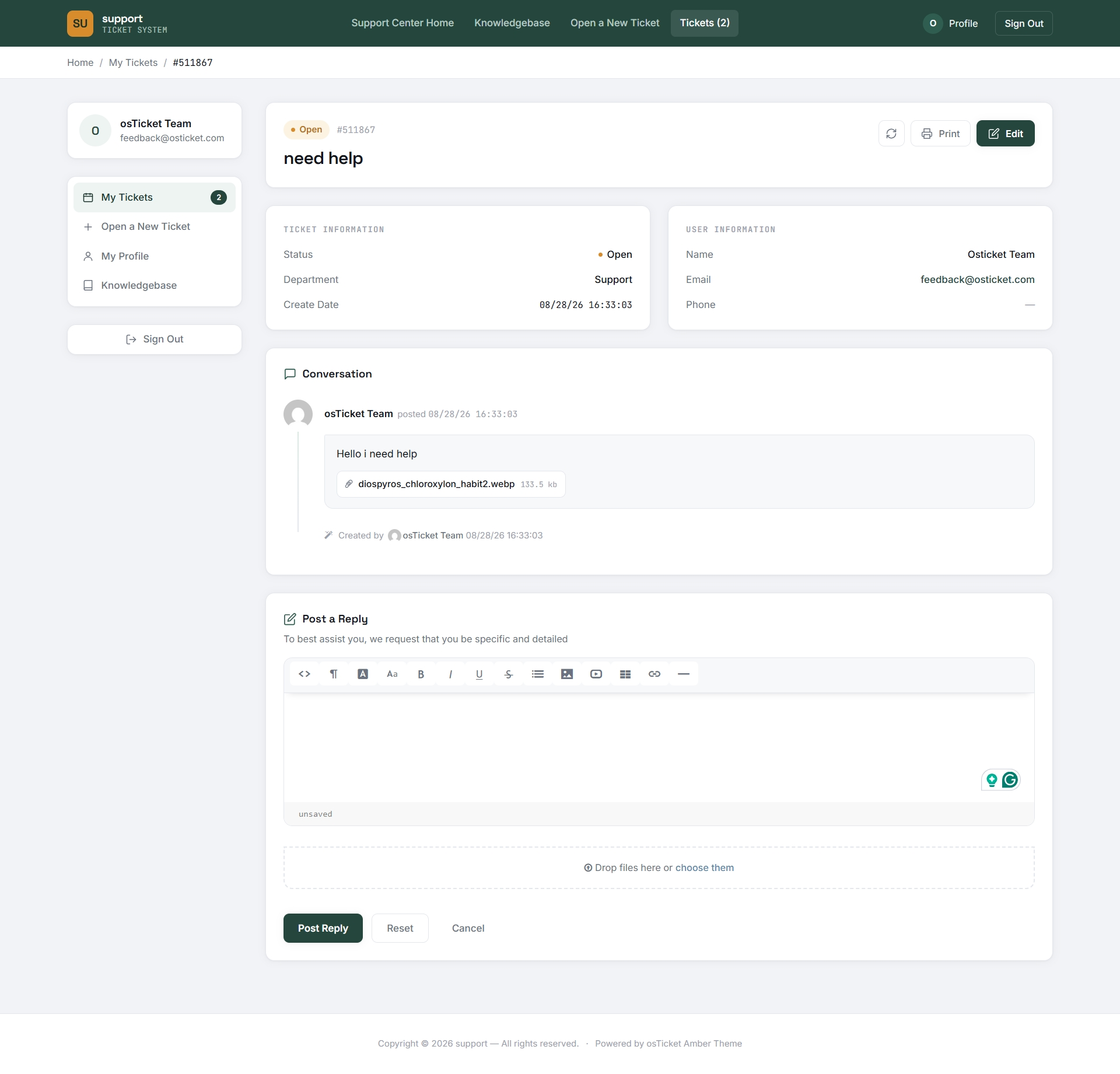
It installs in minutes, works on osTicket v1.17 and v1.18, and survives upgrades because no core file is ever edited.


