osTicket Help Topics: How to Organise Them So Tickets Reach the Right Team

Well-planned osTicket help topics are the difference between tickets that land with the right team straight away and tickets that bounce between departments for a day. A help topic is the "what is this about?" choice a customer makes when opening a ticket, and osTicket can use that one choice to route, prioritise and shape the whole ticket.
What a help topic controls
Each help topic can carry its own settings, which are applied automatically to every ticket opened under it:
- Department the ticket is routed to.
- Priority and SLA plan, so urgent topics get answered first.
- Auto-assignment to a specific team or agent.
- Custom forms that ask for the details this kind of request needs, such as an order number or software version.
Where to manage help topics
In the staff panel, switch to the Admin Panel and open Manage, then Help Topics. From there you can add topics, change their order, and enable or disable them.
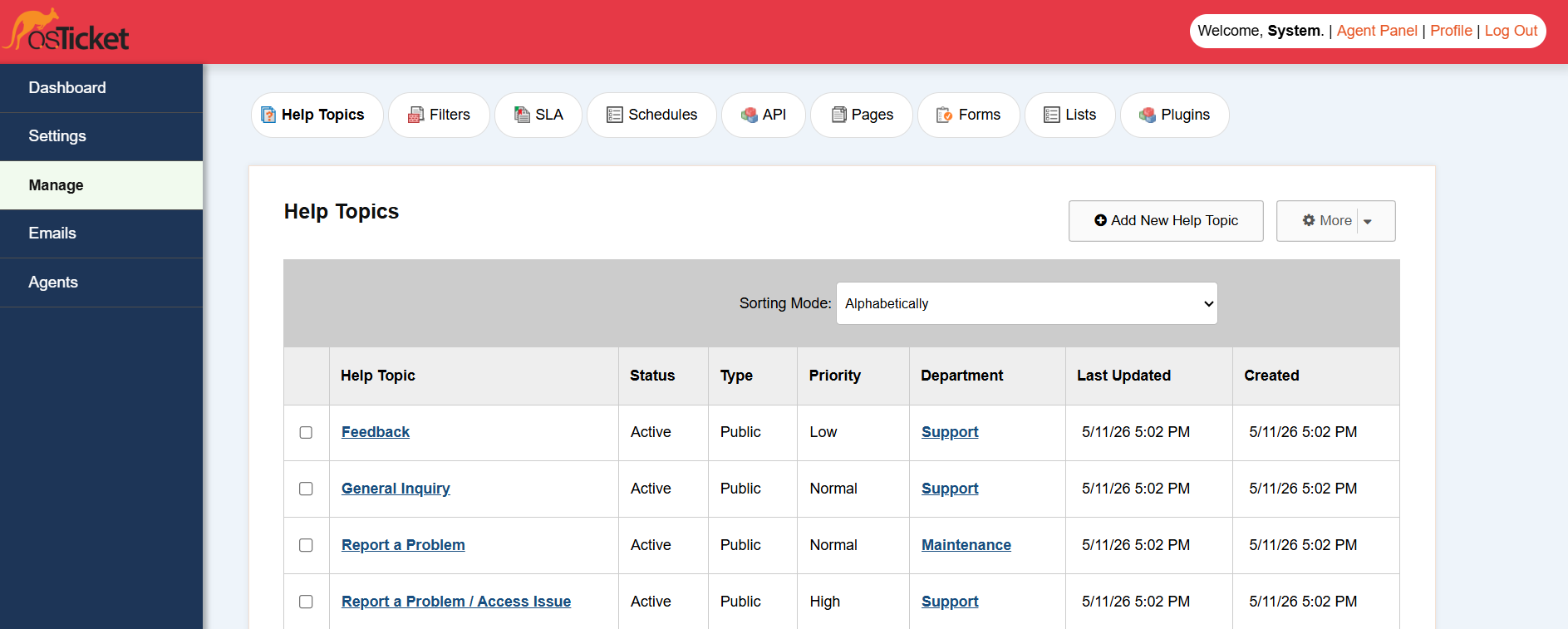
Best practices for organising help topics
Keep the list short
Customers should be able to pick the right topic in a couple of seconds. Five to eight topics is plenty for most helpdesks. If you need more detail, use sub-topics or a custom form field rather than a long list.
Name topics the way customers think
"Billing question" is clearer to a customer than "Accounts receivable". Write topic names in your customers' words, not your internal department names.
Map every topic to a department
A topic without a department relies on someone to triage it by hand. Routing every topic directly is what makes help topics worth setting up.
Add a form only where it saves a reply
If your agents always reply asking for the same detail, add that field to the topic's form. Do not add fields "just in case": every extra field lowers the number of people who finish the form.
Make the admin side easier to work with
Help topics, forms, filters and SLA plans all live in admin tables that are cramped in the default theme. The Dashboard Theme restyles every admin page, including help topics, filters and SLA settings, so configuration is easier to read and to manage. See the screenshots for every restyled admin page.


